

Support Desk · helpdesk & task management Every client issue and every task, in one place you can see.
Your clients raise a ticket from inside the software they already use, with a screenshot, a screen recording or a voice note. Your team replies, turns it into tasks, and follows the work on a board, a calendar and reports. No more issues lost in WhatsApp chats and phone calls.
Support by WhatsApp and phone works, until you have more than a few clients
Issues arrive on five phones, a screenshot is lost in a group chat, the client calls twice, and nobody can say who is fixing what. Support Desk gives every issue a number, an owner and a history.
The issue arrives with its proof
The client reports from the screen where the problem is, and attaches a screenshot, a short screen recording, a log file or a voice note in their own words.
Nothing waits unseen
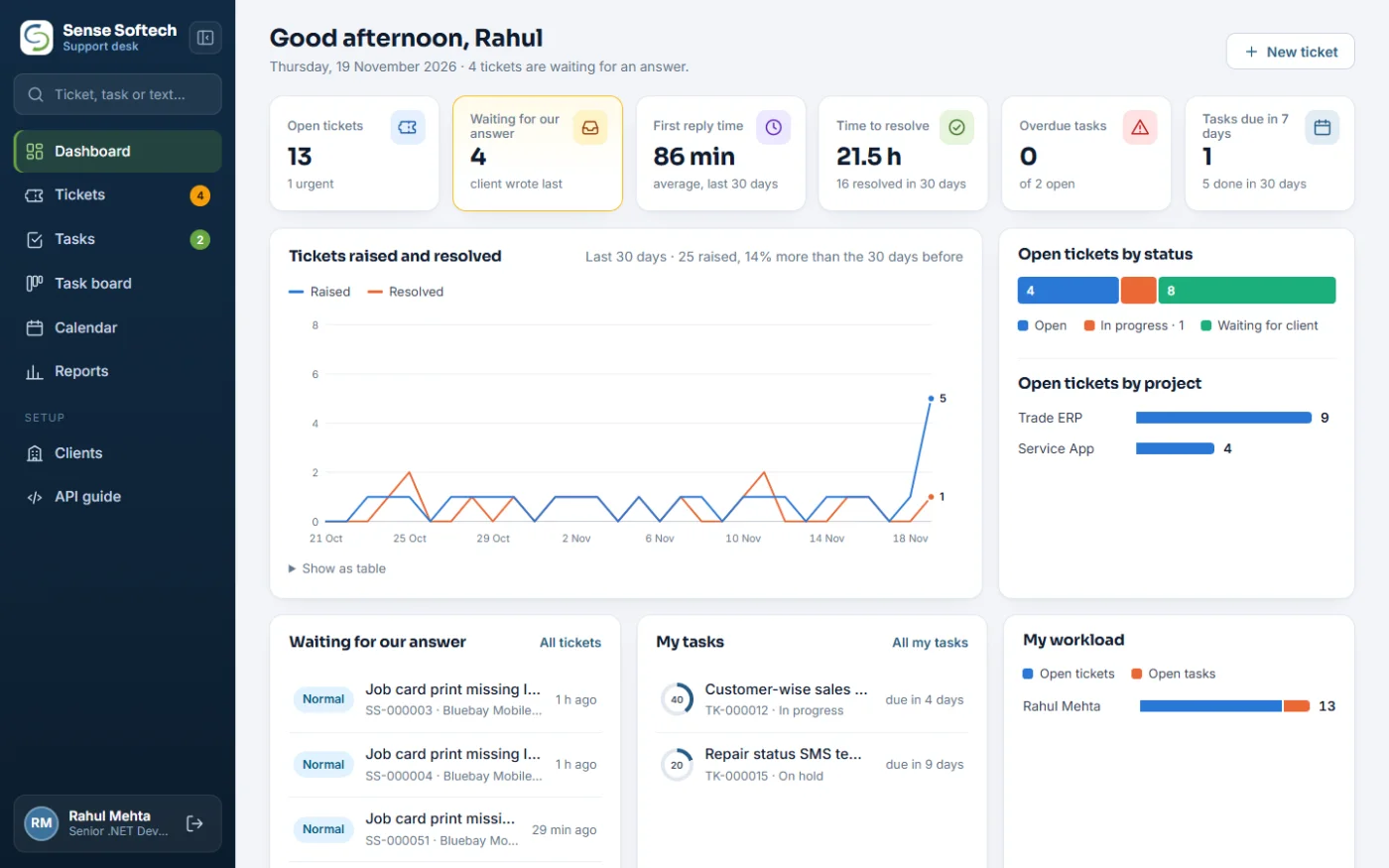
Tickets where the client wrote last are highlighted and counted in the menu, so the team always knows who is waiting for an answer.
One owner for every issue
Each ticket is assigned to a person. Developers and support staff see the projects they work on; administrators see everything.
Issues become planned work
Turn a ticket into one or more tasks with a person, a due date and progress. The ticket shows its tasks; each task links back to the ticket.
Due dates you can see
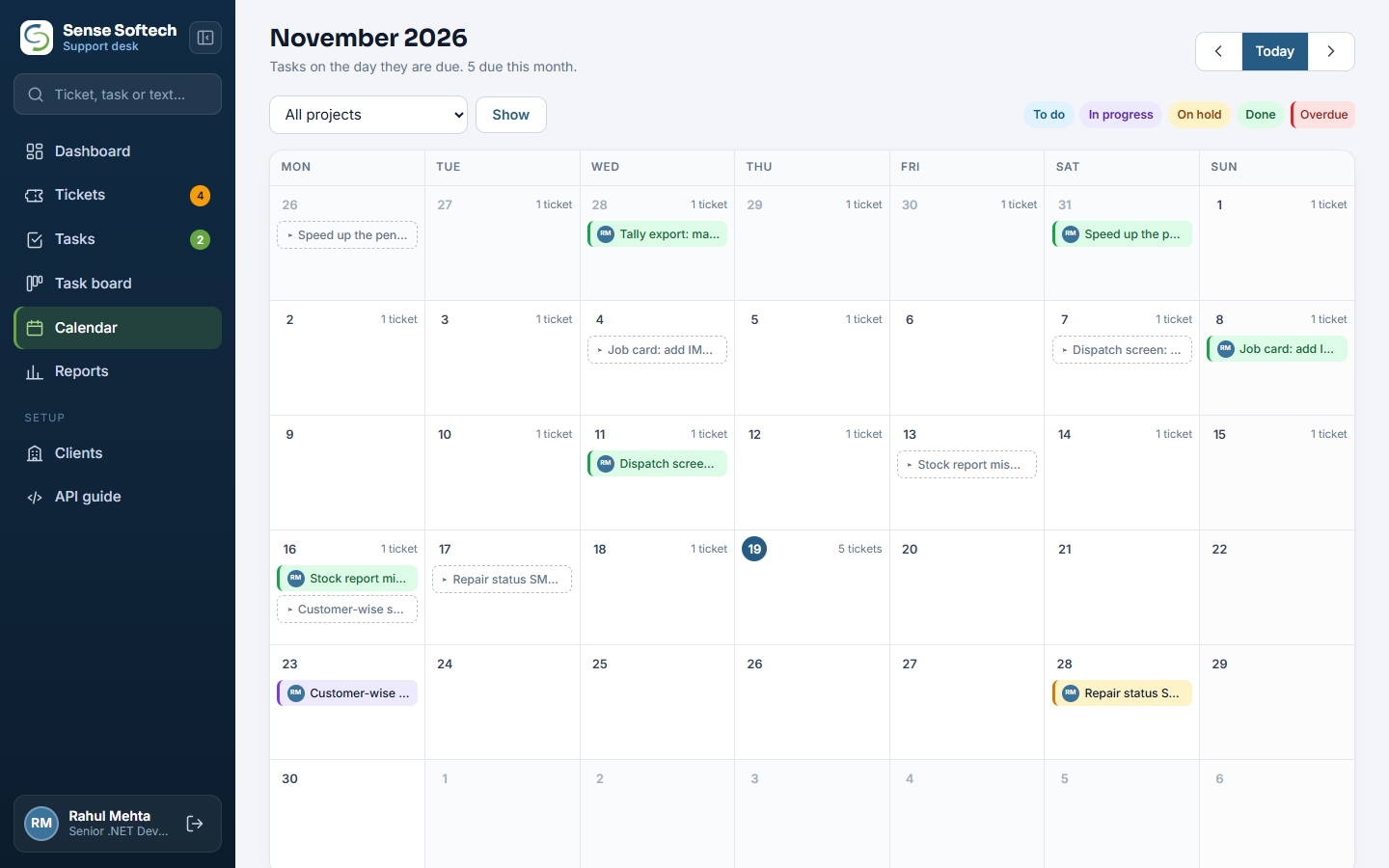
A task board to drag work between To do, In progress, On hold and Done, and a calendar of what is due each day, with late work in red.
Numbers, not guesses
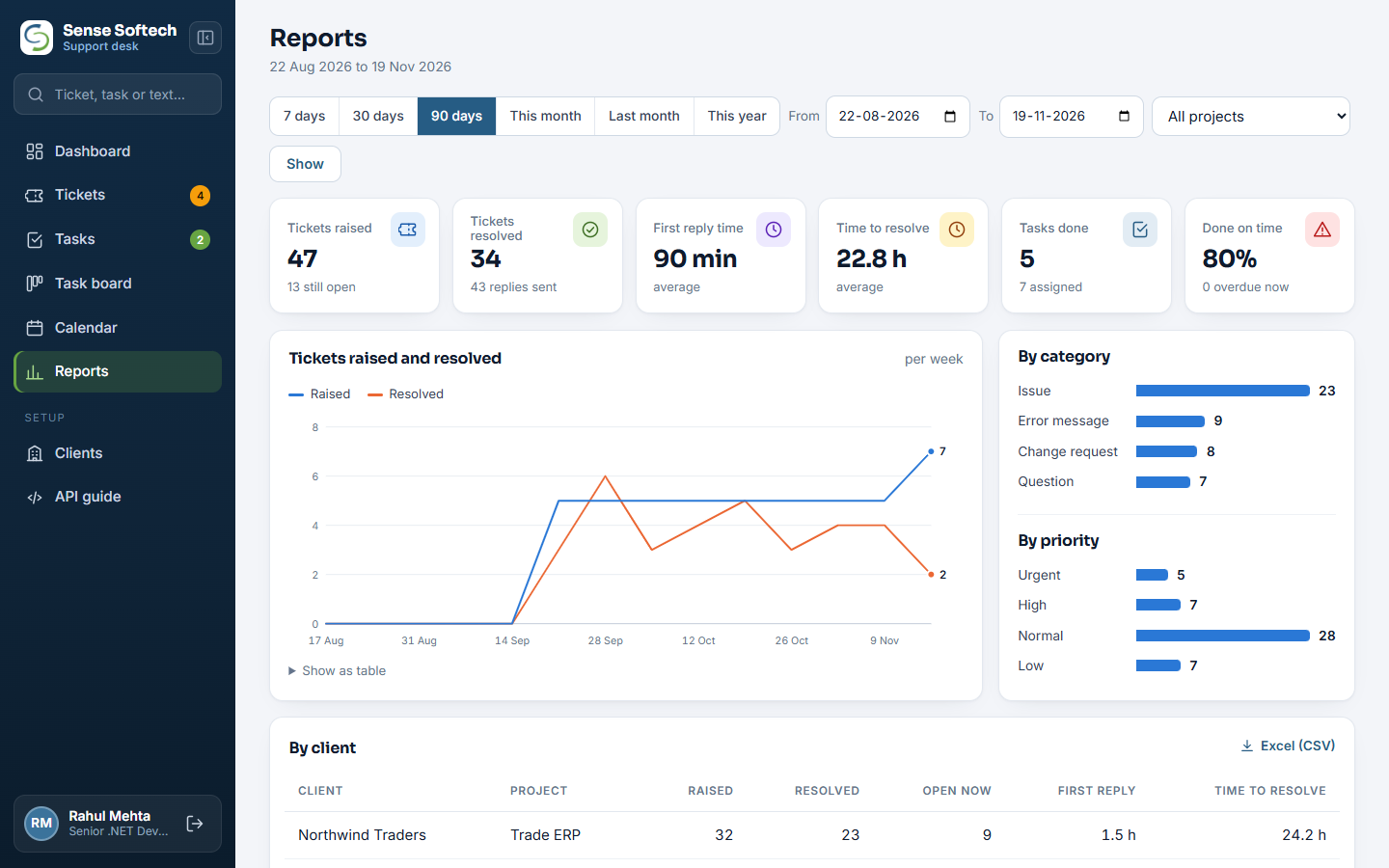
First reply time, time to resolve, tickets per client and project, and work done per team member, for any period, with an Excel download.
From the client's screen to a fix, in four steps
Your software talks to Support Desk through a simple, secure API. The client never needs a separate login or a new app.
The client reports it
A "Raise ticket" screen inside your software sends the subject, details, priority, the screen they were on and any files or voice note.
It lands on the desk
The ticket gets a number such as SS-000128, the team gets an email alert, and it appears on the dashboard and the ticket list.
Your team works it
Assign it, reply with your own screenshot or voice note, keep internal notes the client never sees, and create tasks for the fix.
The client sees the answer
Replies show inside the client's software. They can answer back, close the ticket when it is fixed, or reopen it if it is not.
The screens your team works in
Real screens from Support Desk, shown with sample clients and people.
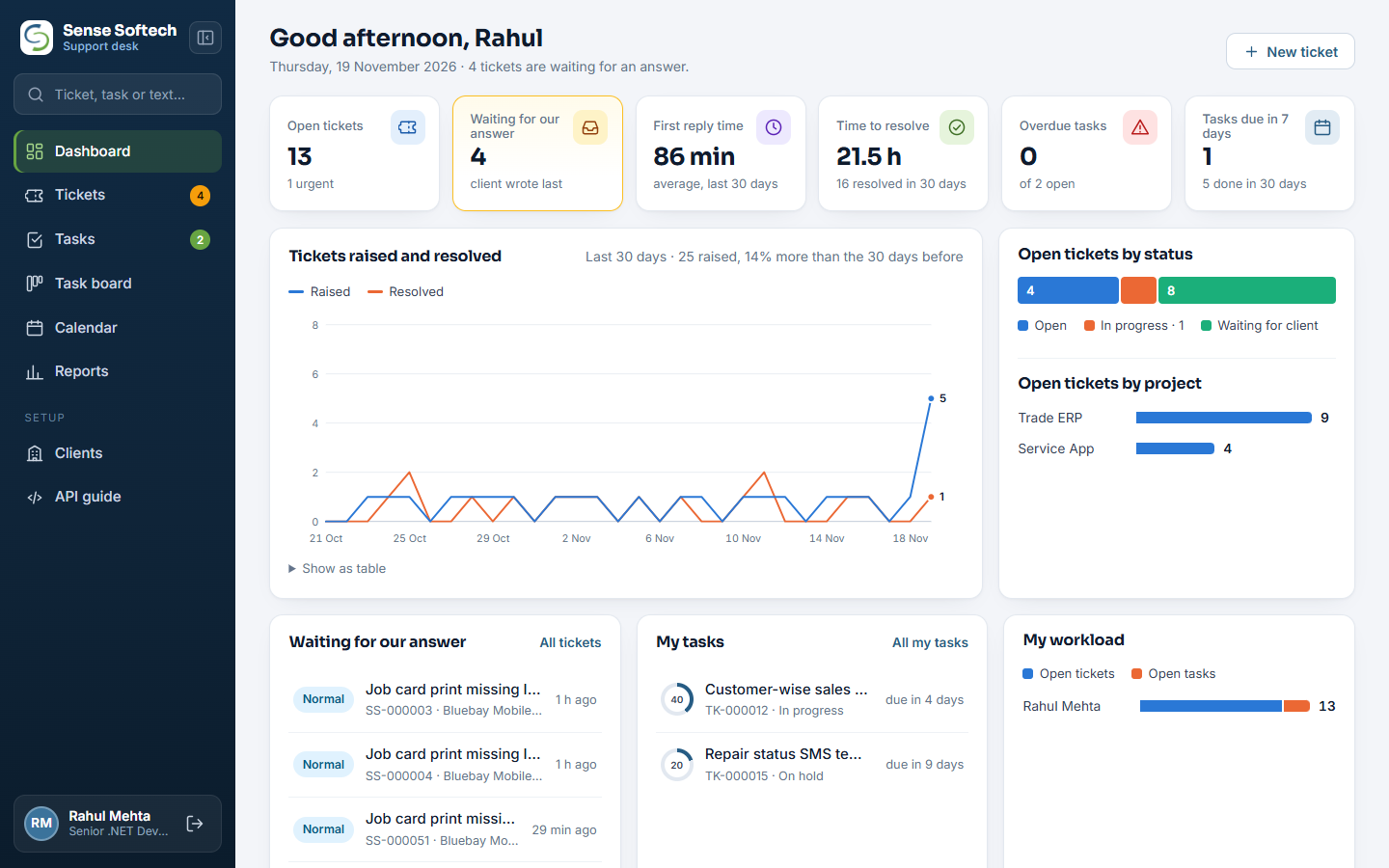
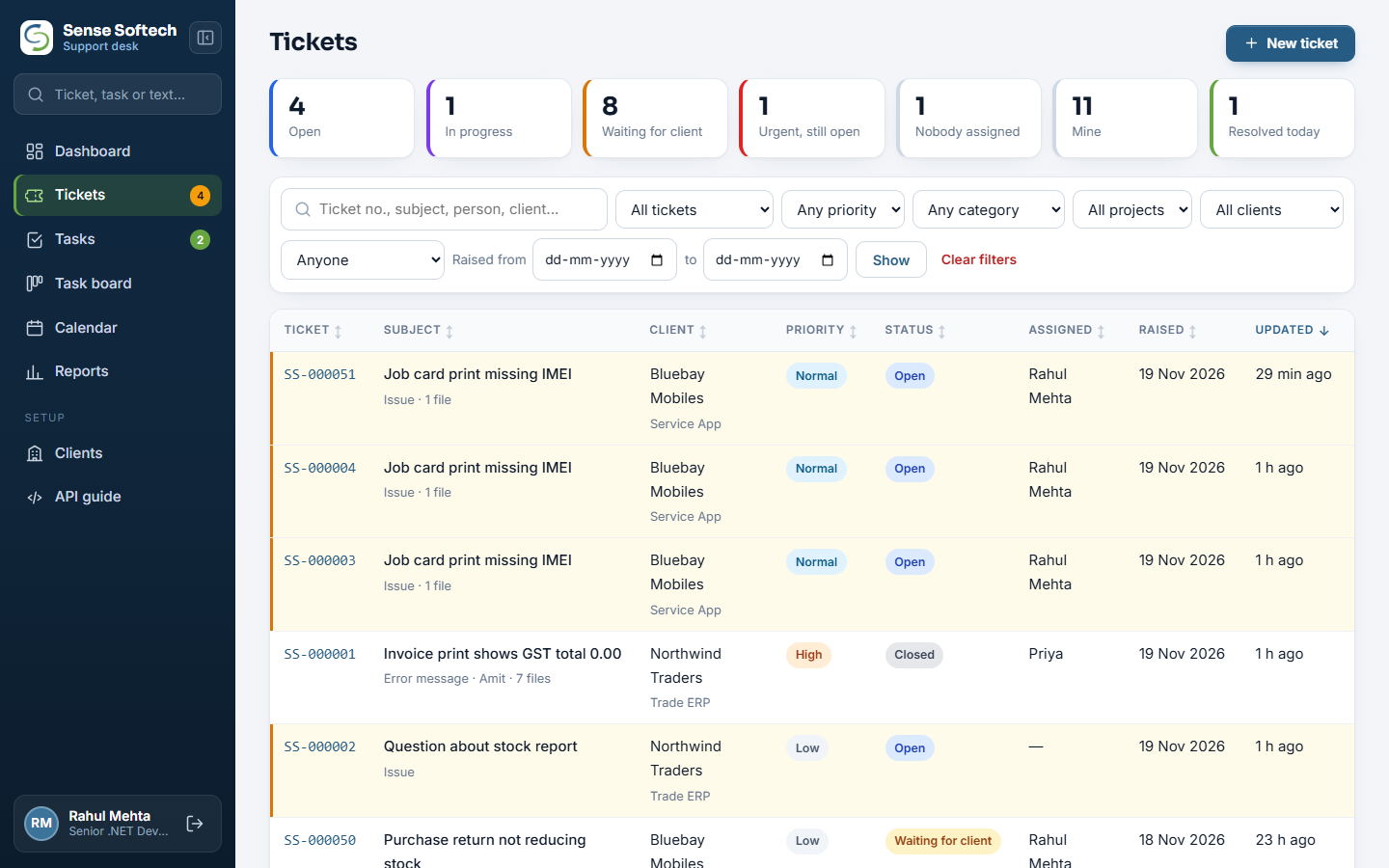
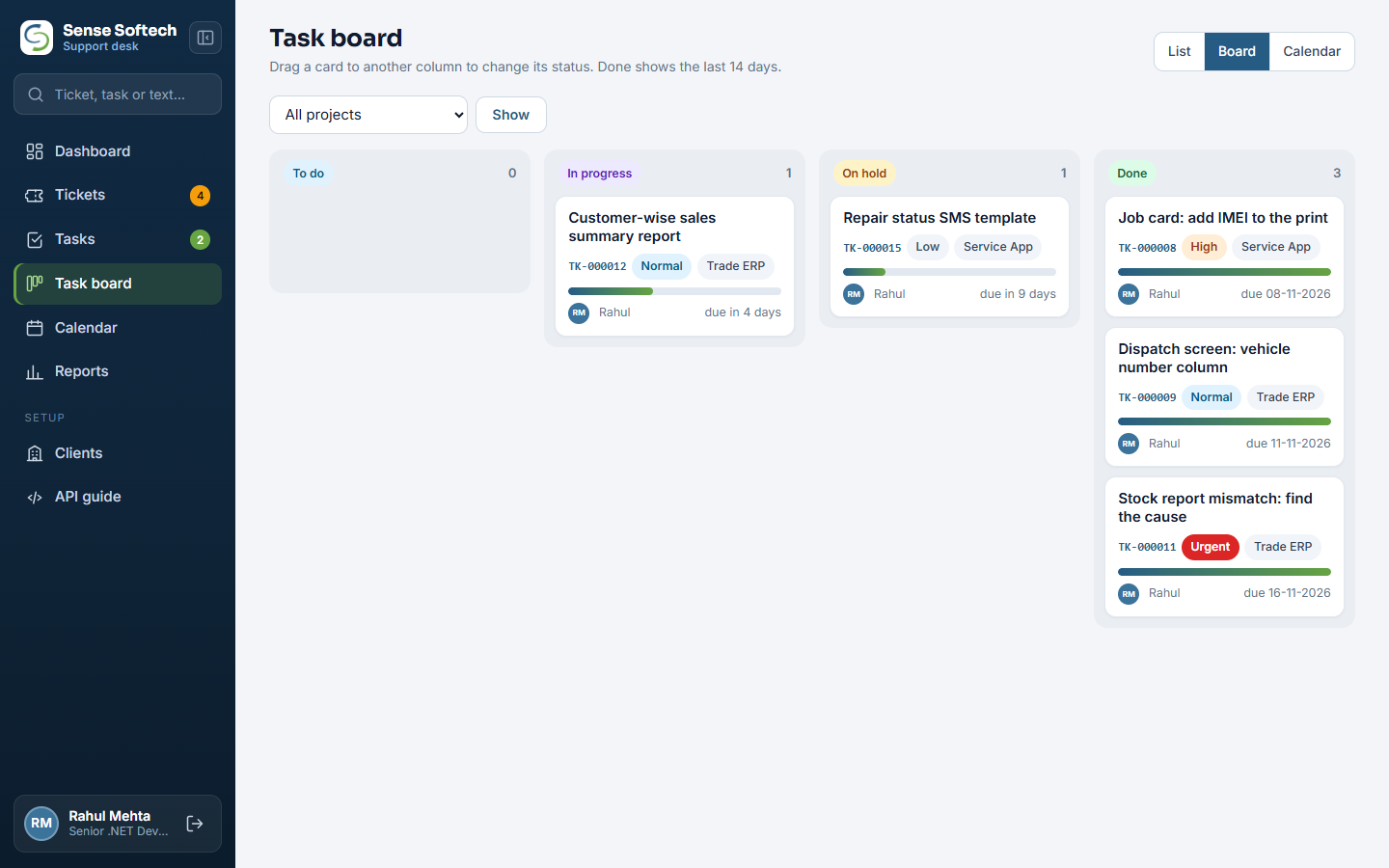
Tickets, tasks and reports, ready on day one
One web application for support staff, developers and managers. It works in any browser, on a desktop or a phone.
Tickets
Numbered tickets with client, project, category, priority, status and owner. Replies, internal notes, sort by any column, filters, search and paging. Your team can log a phone call as a ticket too.
Screenshots, video & voice
Images, screen recordings up to 90 MB, documents and logs up to 25 MB, and voice notes recorded in the browser. Paste a screenshot straight into the reply with Ctrl+V.
Tasks
Give work to a team member with a due date, priority and progress. Every comment, file and change is kept in the task's history, and the person gets an email.
Task board & calendar
Drag cards between columns to change status, or see the month with each task on its due day. Click a day to give a task due that day.
Dashboard & reports
Open and waiting tickets, reply and resolve times, overdue tasks, a raised-versus-resolved trend, and reports by client, team member and project with Excel export.
API for your software
A REST API with one key per client: raise a ticket, list and read tickets, reply with files, close and reopen. A built-in guide shows each call with examples.
Team, projects & rights
Users with photo, designation and role (Administrator, Support or Developer), each linked to the projects they handle and seeing only those tickets.
Security
Passwords stored as salted hashes, accounts locked after five wrong tries, API keys stored hashed and limited per minute, and every form protected against forgery.
Your server, your data
ASP.NET Core and Microsoft SQL Server, on your own server or hosted by us. Your tickets and files stay in your own database and folders.
WhatsApp, a cloud helpdesk, or a desk built around your software
Each has its place. Here is honestly what each one gives a team that supports its own software or systems.
| What you need | WhatsApp & phone | Cloud helpdesk subscription | Support Desk |
|---|---|---|---|
| A number, an owner and a history for every issue | No | Yes | Yes |
| Raised from inside your own software | No | Through a widget or their API | Yes, API built for it |
| Screenshots, screen video and voice notes | Yes, lost in chats | Files yes, voice rarely | Yes, kept on the ticket |
| Tasks with board and calendar | No | Often a separate tool | Yes, linked to tickets |
| Reply-time and workload reports | No | Yes | Yes, with Excel export |
| Data on your own server and database | No | Vendor's cloud | Yes, or hosted by us |
| Changed to fit how your team works | No | Within their settings | Yes, we built it |
| Email inbox, live chat and knowledge base | No | Yes | Not today |
If your support runs mainly through a public email inbox and live chat on a website, a cloud helpdesk does more for you. Support Desk fits teams whose clients use software or systems you supply, and who want issues, tasks and reports in one place on their own server.
Built for teams that support clients on their own systems
We built Support Desk for the support of our own ERP and POS clients, who work across several countries. It suits any team in the same position.
Software companies
Your ERP, POS or app raises tickets straight into your desk, with the screen and version it came from.
ERP & POS implementers
Many clients on different products and projects, each looked after by the right people.
IT support & AMC teams
Log calls as tickets, give site visits and fixes as tasks, and show clients what was done and when.
In-house IT departments
Branches and departments report problems from your internal systems, and managers see the workload.
Live with your team in days, connected to your software
We set it up on your server or ours, add your team and clients, and connect your software so tickets start arriving from inside it.
-
Set-upOn your own Windows server with SQL Server, or hosted by us, with your email for alerts.
-
Team and clientsYour projects, your users with their roles, and an API key for each client.
-
Connect your softwareWe add the "Raise ticket" screen to your .NET software, or your developers follow the API guide.
-
TrainingA short session for support staff, developers and managers on their own screens.
Book a live Support Desk demo
Tell us how many clients and team members you support. We reply within one working day to fix a time for the demo.
Frequently asked questions
What is Support Desk?
Support Desk is helpdesk and task management software by Sense Softech. Clients raise tickets from inside the software they use, with screenshots, screen recordings and voice notes; your team replies, assigns the work as tasks and follows it on a task board, a calendar, a dashboard and reports.
How do clients raise a ticket without a separate login?
Your software calls the Support Desk REST API with that client's API key. A "Raise ticket" screen in your software sends the subject, details, priority, the screen or module, and any files. Replies come back through the same API, so the client reads and answers them inside your software.
Can a ticket include screenshots, video and voice messages?
Yes. A ticket or reply can carry images, screen recordings up to 90 MB, documents and log files up to 25 MB, and voice notes recorded in the browser, up to 10 files per message. Your team can also paste a screenshot into a reply with Ctrl+V.
Does it include task management?
Yes. Any ticket can become one or more tasks with a person, due date, priority and progress. Tasks have their own comments, files and full change history, a drag-and-drop task board and a calendar of due dates, and the person gets an email when a task is given to them.
What reports does Support Desk give?
A dashboard of open, waiting and urgent tickets, first reply time, time to resolve and overdue tasks, plus reports for any period: tickets raised and resolved over time, by category and priority, and tables by client, team member and project that download to Excel.
Can different team members see different clients?
Yes. Each user has a role (Administrator, Support or Developer) and is linked to the projects they handle. Support and Developer users see the tickets of clients on their projects and the tickets assigned to them; administrators see everything.
Is Support Desk cloud or on-premise?
Either. It is an ASP.NET Core web application with a Microsoft SQL Server database. It can run on your own Windows server or be hosted by us, and your team uses it in a browser on a computer or phone.
Is it secure?
Passwords are stored as salted hashes and an account locks for 15 minutes after five wrong passwords. Client API keys are stored hashed and limited per minute, every form is protected against cross-site forgery, and files are served only to signed-in users.
Can Support Desk receive tickets by email or live chat?
Not today. Tickets come from your software through the API, or your team logs them on the desk, for example after a phone call. If you need an email inbox channel, tell us and we will scope it.
Can it be changed to fit our workflow?
Yes. Sense Softech built Support Desk, so we can add fields, screens, statuses or reports your team needs, and connect it to your own .NET software.
See a ticket go from a client's screen to a finished task.
In a live demo we raise a ticket with a screenshot and a voice note, answer it, turn it into a task and show it on the board, the calendar and the reports.