

What it is
A native Windows point-of-sale for the counter, paired with an ASP.NET Core head-office web app. Each till keeps its own database and syncs to head office in the background, so a dropped connection never stops a sale. Multi-branch, multi-currency and multi-company from day one.
What you get
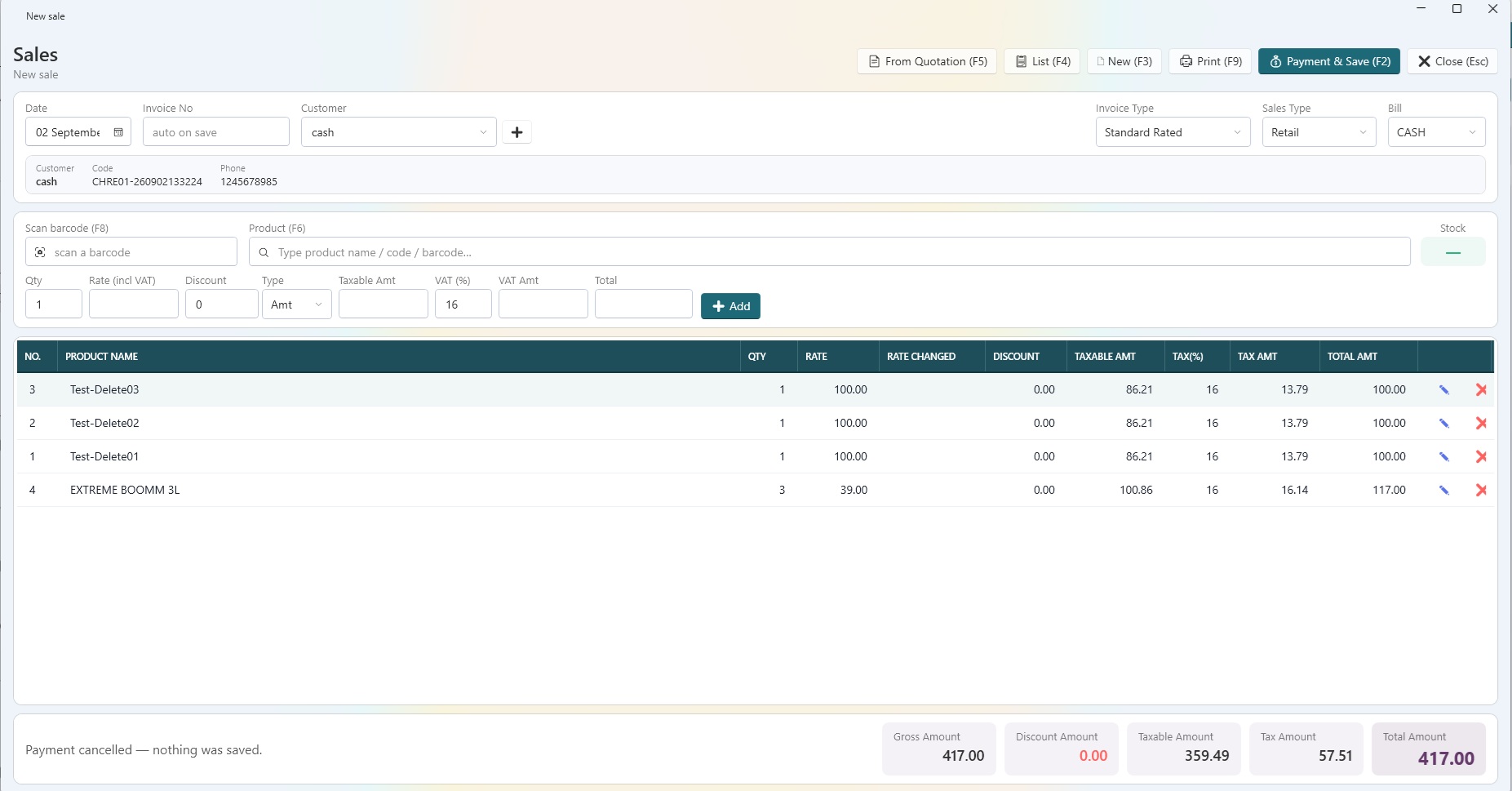
- Native Windows till (WPF, .NET 8) with a keyboard-first billing screen and barcode support
- Offline-first: sales, payments and stock movements queue locally and sync when the line is back
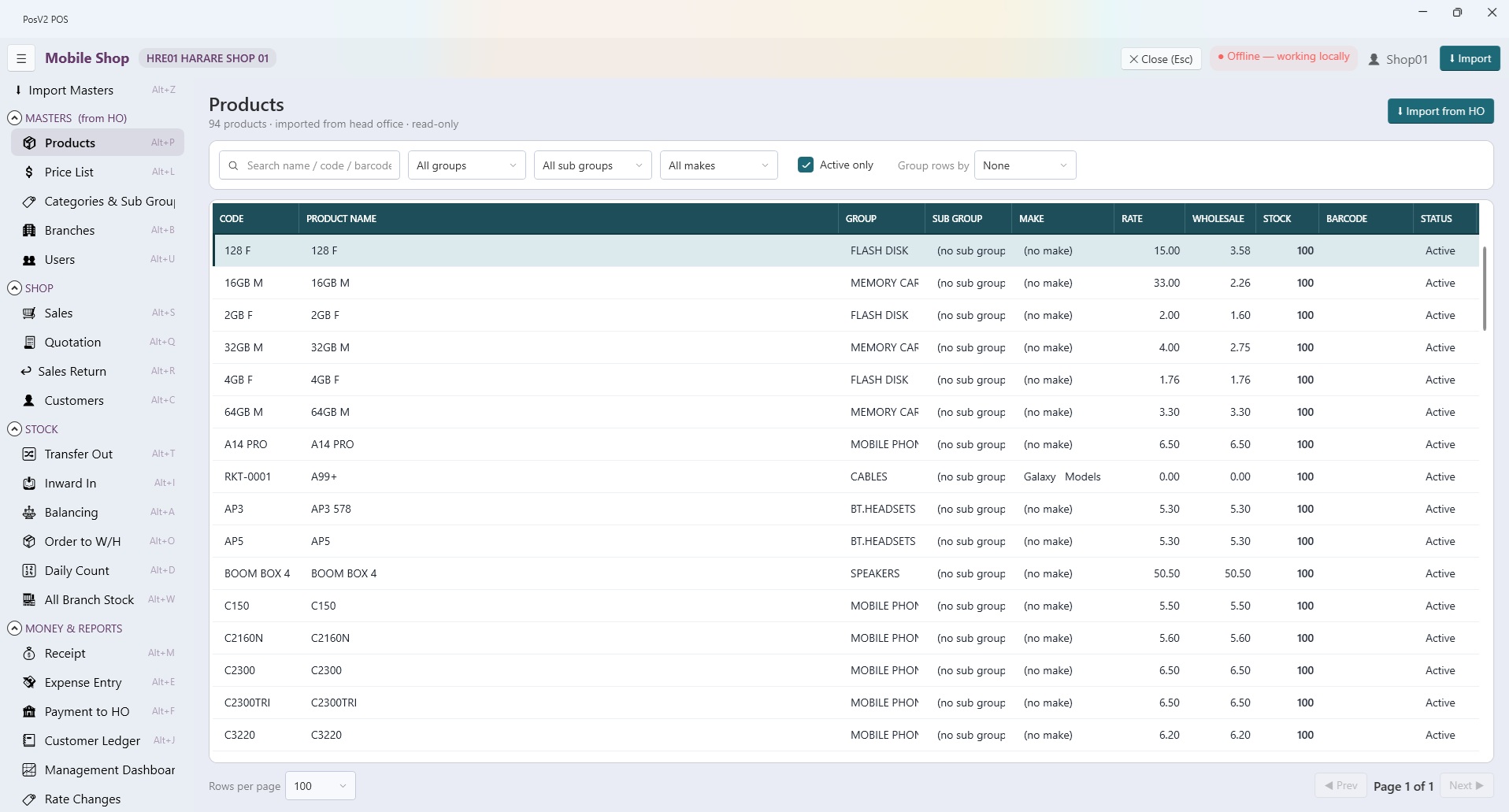
- Head-office web app for masters, pricing, purchases, GRN and branch-to-branch transfers
- Multi-currency payments, split tenders, per-row exchange-rate stamps
- Stock chain: purchase, GRN, inward to branch, shop acceptance, mirrored at head office
- Cost never shown on the till, enforced by an automated check before every release
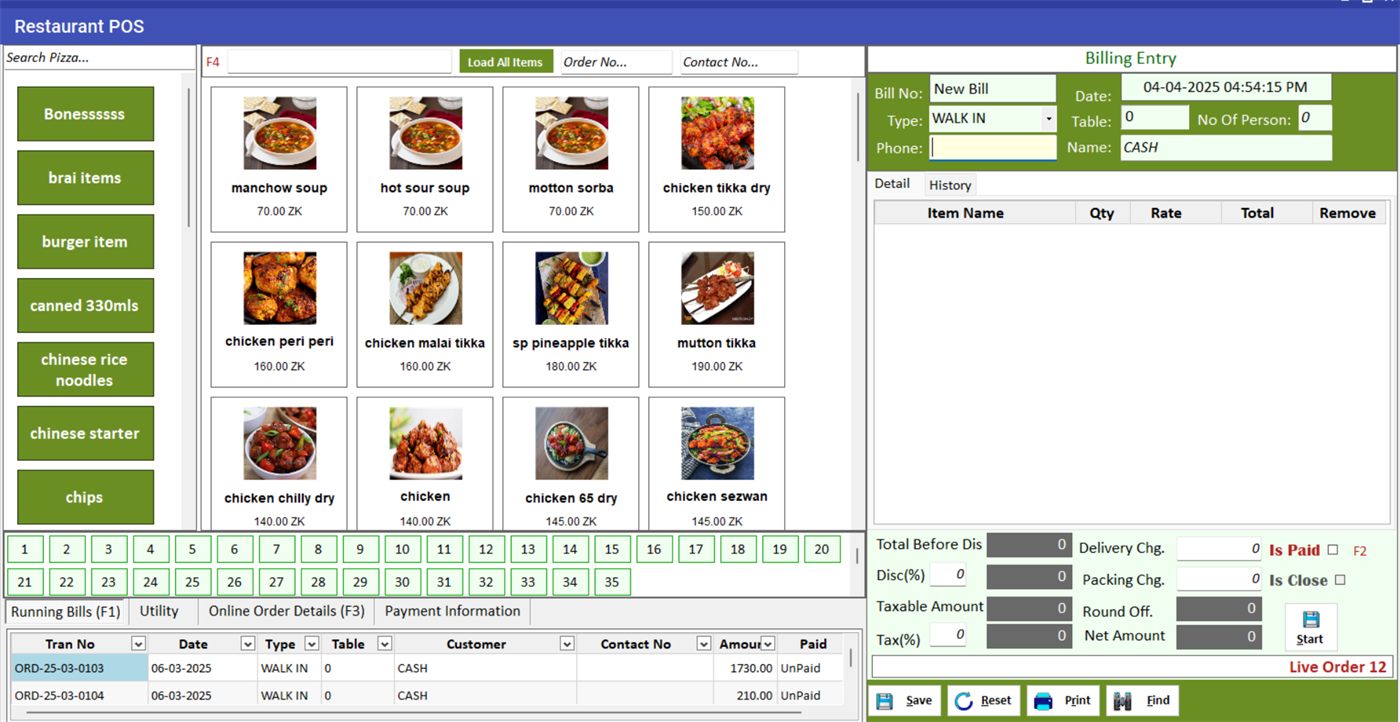
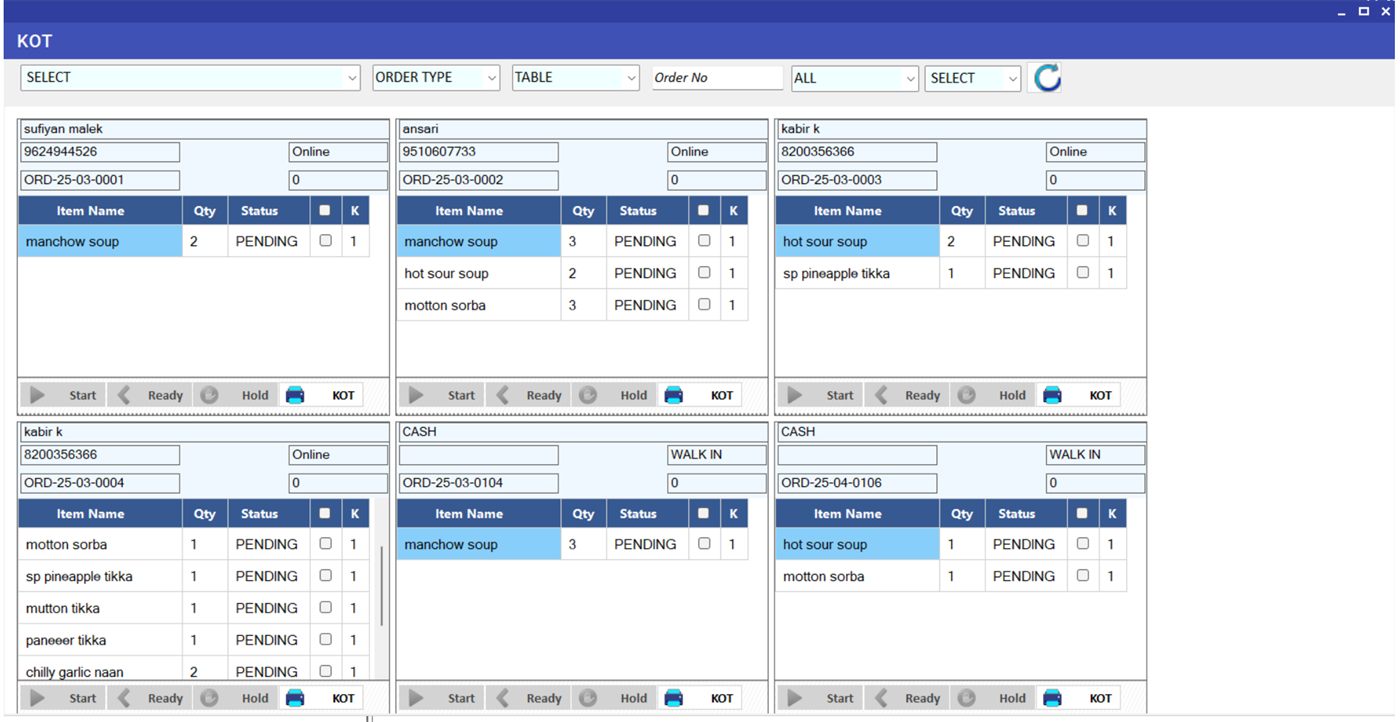
- Restaurant mode with KOT, table map and kitchen screens
- Branch P&L, shop ledger and aging posted into a shared chart of accounts
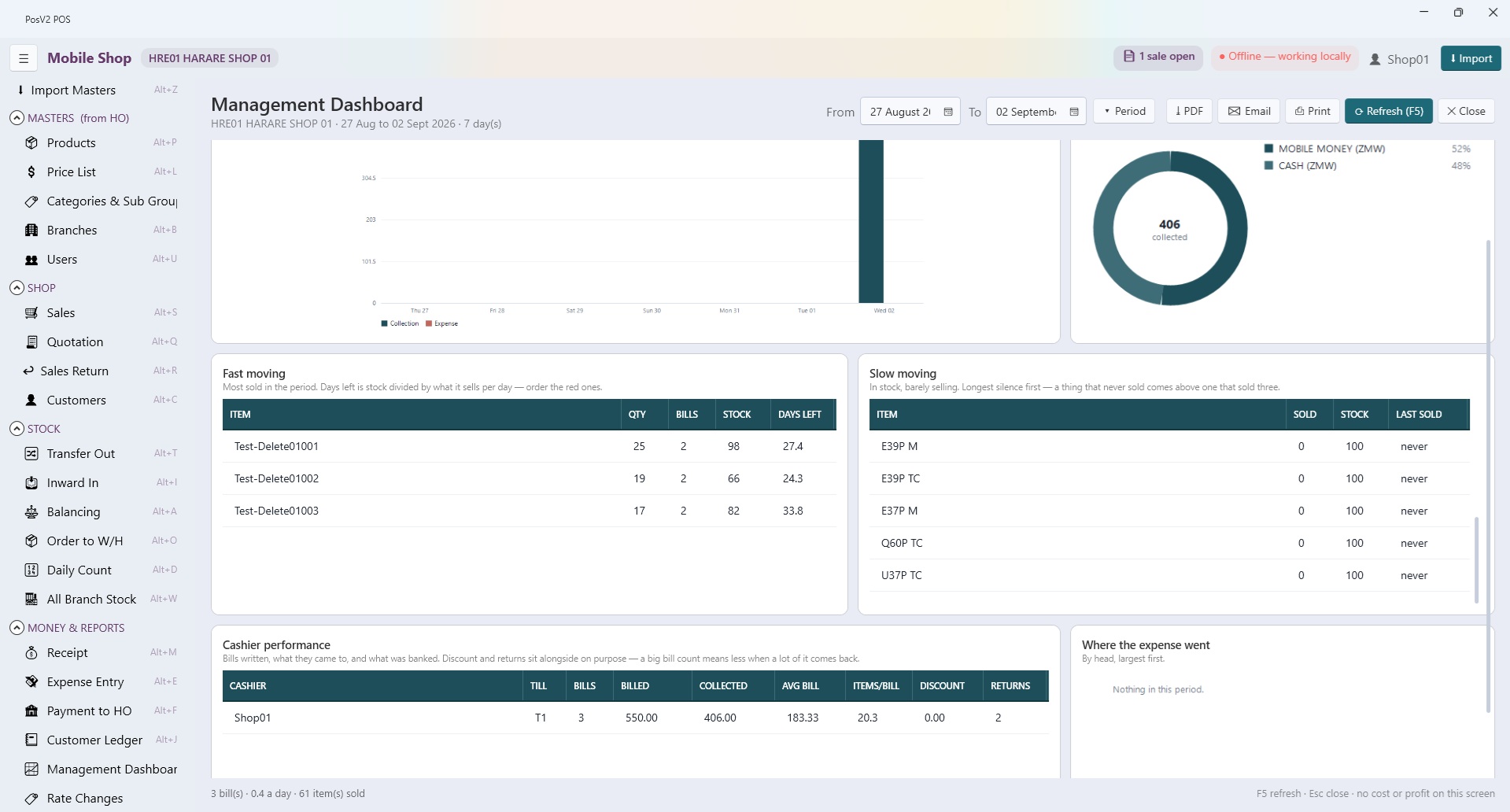
Screens from live systems
Cloud POS, desktop billing software, or both in one
The real question is what happens at the counter when the internet drops.
| What you need | Cloud-only POS | Stand-alone billing software | Sense Softech POS |
|---|---|---|---|
| Billing continues with no internet | No, the counter stops | Yes | Yes, local database on every till |
| Owner sees all branches live, from anywhere | Yes | No, each PC is an island | Yes, head-office web app |
| Central prices, purchases and transfers | Yes | Manual, per shop | Yes, synced to every till |
| Stock ledger and accounts from the same bill | Varies | Often a separate package | Yes, double-entry per branch |
| Two currencies on one bill | Rare | Rare | Yes, rate stamped per row |
| Restaurant mode with KOT | Separate product | Separate product | Same software |
| Cost never shown to the cashier | Depends on setup | Depends on setup | Enforced before every release |
A single shop with solid internet can be happy on a cloud POS. Chains, and anyone whose line drops, need the till to stand on its own.
Who it suits
How the engagement runs
- Till installer and head-office deployment
- Branch and product master import
- Sync monitoring dashboard
- Cashier and manager training
Frequently asked questions
Which POS software works offline without internet?
Sense Softech POS is a native Windows application with its own local database on every till, so billing, payments and stock movements carry on with no internet at all. When the connection returns, the till syncs sales and stock to the head-office web application automatically. It was built for shops in Zambia and India where the line drops regularly.
What is the difference between online and offline POS?
An online or cloud POS runs in the browser and stops billing when the internet stops. An offline POS keeps its data on the counter PC and never depends on the line. Our system is both: the till works offline, and a head-office web app online gives the owner live sales, stock, purchases and branch profit from anywhere.
Can one POS system manage multiple branches from head office?
Yes. Products, prices, purchases, goods receipts and branch-to-branch transfers are managed once at head office and sync down to every till. Head office sees every branch; each branch sees only its own data. Branch profit and loss posts into one shared chart of accounts.
Is there POS software with inventory and accounting together?
Yes. Every sale, purchase and stock transfer in our POS posts to a stock ledger and to double-entry accounts, so the shop ledger, supplier aging and branch P&L come from the same data as the bill. There is no separate accounting package to re-enter figures into.
Does the point of sale work without internet?
Yes. The Windows till keeps its own local database, so billing, payments and stock movements continue offline and sync to head office when the connection returns.
Can we run many branches and see them all from head office?
Yes. Each till syncs to an ASP.NET Core head-office web app where you manage masters, pricing, purchases, GRN, transfers and branch P&L. Head office sees every branch; each branch sees only itself.
Does it support more than one currency at the counter?
Yes. A single bill can take split payments in different currencies, with the exchange rate stamped on every row. We run this in USD and Kwacha for customers in Zambia.
Is there a restaurant mode?
Yes. Restaurant mode adds table maps, kitchen order tickets (KOT) and a kitchen screen alongside the retail billing screen.
Customers using this
Multi-branch phone retail and repair on one platform
A Windows till at every counter, a head-office web app for the owners, and a repair-center module that follows each device from intake to hand-back. Sales in USD and Kwacha on the same bill.
Point of sale and inventory for a phone retailer
Retail billing, stock and purchase for a mobile-phone retailer, on the same Windows till and head-office platform used across our Zambian customers.